

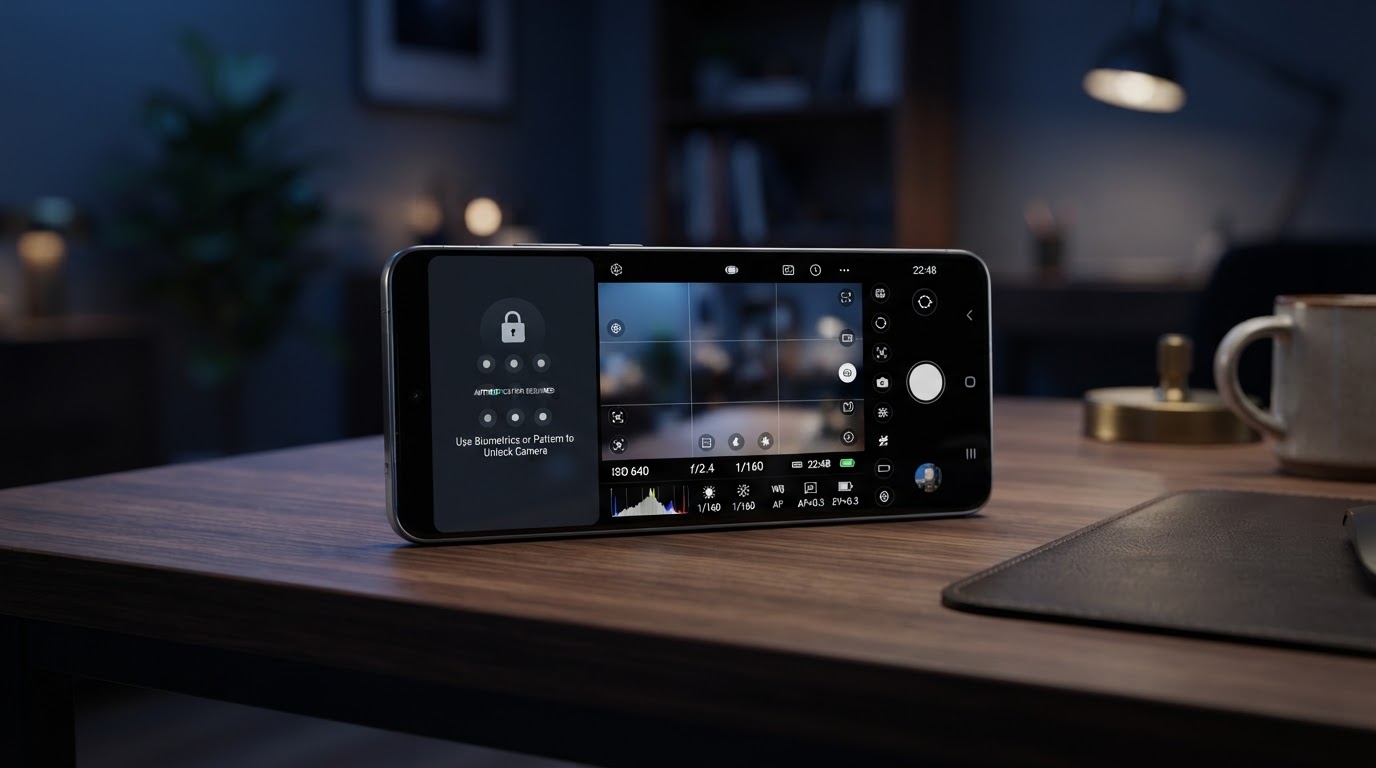
Samsung has started testing One UI 9.5, giving Galaxy S26 owners an early look at the next software update before its wider release. The beta is not a complete redesign, but it adds several practical changes that affect privacy, camera controls, health tracking and accessibility. Some of the most useful additions are small improvements to everyday tasks, such as locking an individual app or reaching frequently used controls without digging through menus.
The beta is currently available to Galaxy S26 series users in selected markets, including Germany, India, South Korea, Poland, the United Kingdom and the United States. Eligible owners can apply through the Samsung Members app. As with any beta software, features may change before the final release, and users should expect occasional bugs or compatibility issues.
App Lock adds another layer of privacy
One of the most straightforward additions is App Lock. It allows users to protect individual apps with biometric authentication or the phone’s screen lock. When an app is locked, its notification content and widgets are hidden as well, helping prevent private information from appearing when someone else is using the phone. This can be useful for messaging apps, banking apps, photo galleries or anything that contains information a user does not want visible at a glance.
App Lock is not a replacement for a strong device passcode, and it does not make a phone completely private if someone already has access to an unlocked device. It is better understood as an extra barrier for selected apps. The feature may also behave differently depending on the app and device configuration, so users should test it with the apps they actually rely on before assuming every notification or background action is protected.
Camera controls become more flexible
Samsung is updating the camera experience with more precise controls in Pro and Pro video modes. Users can customize settings and presets for different shooting conditions, which should make it easier to switch between a consistent set of preferences rather than adjusting every option from scratch. The default camera app also gets improved controls and a zoom bar that brings key adjustments together on one screen.
These changes are aimed at people who use their Galaxy phone for more than quick snapshots. Manual controls can help when lighting is difficult, when recording video or when trying to keep the look of several clips consistent. They do not automatically make every photo better, and some of the advanced options are limited to models that already support Pro and Pro video modes. Samsung notes that Lite versions of those modes are excluded.
Samsung Health gets journaling and medication reminders
One UI 9.5 also adds Mindful Note to Samsung Health. The feature lets users record thoughts and feelings through free writing or guided prompts, giving the app another way to track personal wellbeing beyond activity and sleep statistics. It is not a substitute for professional mental-health care, but it can provide a simple place to reflect or build a journaling habit.
The new Medications feature allows users to add prescriptions, vitamins and supplements, set reminders and track whether they have taken them. Availability may vary by market, and Samsung explicitly says the service does not provide medical advice. People who use medication reminders should treat the app as an organizational tool rather than a replacement for instructions from a healthcare professional or pharmacist.
Accessibility improvements focus on faster access
Samsung is adding floating shortcuts for frequently used controls, which can reduce the number of steps needed to reach common settings. Hearing aid controls are also being improved, allowing users to adjust volume from the notification panel and choose which sounds are routed to their hearing aids. These changes may sound modest, but they can make a meaningful difference for people who rely on accessibility features throughout the day.
The update reflects a broader pattern in smartphone software: the most useful changes are not always the ones that look dramatic in a screenshot. Better notification privacy, simpler camera controls and quicker access to assistive settings can improve the experience every time someone picks up the phone. Samsung’s official One UI 9.5 beta announcement lists the new features and the initial markets.
Should you install the beta?
If your Galaxy S26 is your main phone, it is usually safer to wait for the stable release unless you specifically want to test the new features and are comfortable troubleshooting problems. Beta software can affect battery life, app compatibility and everyday reliability. Anyone who depends on the phone for work, travel or payments should think carefully before installing an early build.
For everyone else, One UI 9.5 looks like a useful refinement rather than a reason to upgrade a phone. App Lock is likely to be the most immediately noticeable feature, while the camera and Health improvements will matter to more specific groups of users. Keep an eye on Samsung Members for regional availability and release notes, and back up important data before joining any beta program. Samsung’s Samsung Members app support page explains where owners can access the beta community. It also arrives as smartphone prices remain under pressure; our earlier look at why smartphones are getting more expensive explains the broader market context. Samsung is also taking Gemini beyond phones, with its new AI-powered smart glasses due in December.